Hyperparam Quick Start Guide
Get started with Hyperparam in just 3 minutes. This guide walks you through loading agent traces or chat logs and running your first analysis.
Step 1: Sign In
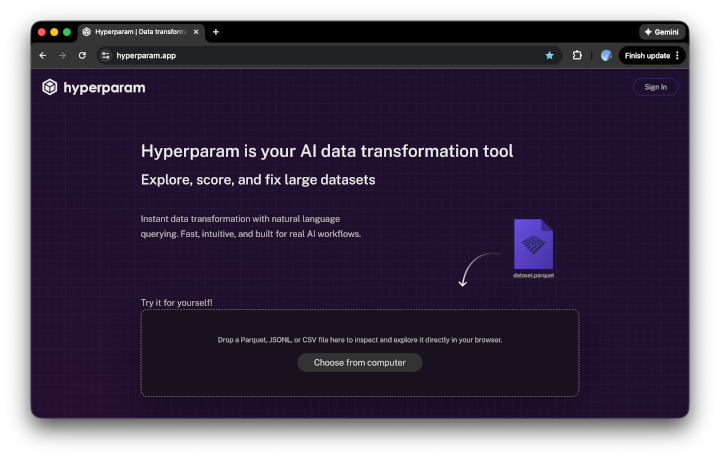
Navigate to hyperparam.app and sign in with Google. Signing in unlocks AI-powered analysis, workspaces, and export.
Step 2: Load Your Data
Upload a File
Drag a .parquet, .csv, or .jsonl file onto the drop zone (Claude Code transcripts, Codex sessions, ChatGPT exports, Langfuse / LangSmith / Phoenix traces, or any structured log file). Your data uploads to your Hyperparam storage and is ready to explore immediately.
Connect to Cloud Storage
Paste a URL to data stored in S3, GCS, Azure Blob, or any public endpoint. Hyperparam streams the data directly, no download required. See CORS Configuration if you're connecting to a private bucket.
Don't have logs yet? See Exporting Chat Logs for guides on pulling logs from Claude Code, ChatGPT, Langfuse, LangSmith, Phoenix, Datadog, and more.
Step 3: Explore Your Data
Once loaded, you'll see the interactive table view:
- Scroll infinitely through millions of rows
- Click column headers to sort
- Double-click cells to inspect nested data (conversations, tool calls, JSON)
- Drag columns to reorder
Step 4: Analyze in a Workspace
Click "Edit data in workspace" to open your data in a workspace. From here you can:
- Ask questions in chat, e.g. "Which conversations had failed tool calls?"
- Add AI-generated columns: failure classification, quality scores, root-cause categories
- Create SQL views: filter, join, and project across your data
- Export results: save filtered datasets as Parquet, CSV, or JSONL
Step 5: Try AI-Powered Analysis
Try these prompts in the workspace chat:
"Which sessions had failed tool calls? Add a column.""Classify each failure as avoidable (prompt or schema error) or necessary (probing the environment).""Find conversations where the agent got stuck in a loop or burned tokens without progressing.""Score each chat 0-1 for user frustration based on the user's messages."Your First Workflow
Here's a workflow to try with your own agent or chat logs:
- Load your logs (or try an example dataset)
- Sign in to unlock AI features
- Ask chat to surface failed tool calls or agent errors
- Add a column classifying each failure as avoidable or necessary
- Create a SQL view filtering to avoidable failures
- Export the filtered dataset, or save the analysis as a skill to re-run next week
What's Next?
- How to Debug Wasted Tool Calls: step-by-step walkthrough
- Exporting Chat Logs: get logs from your platform into Hyperparam
Need Help?
- Check our FAQ
- Review data sources