Classifying Prompt Patterns in Chat Logs
Use AI-generated columns to categorize unstructured fields in your chat or agent logs, and understand what your system is actually being asked to do.
Overview
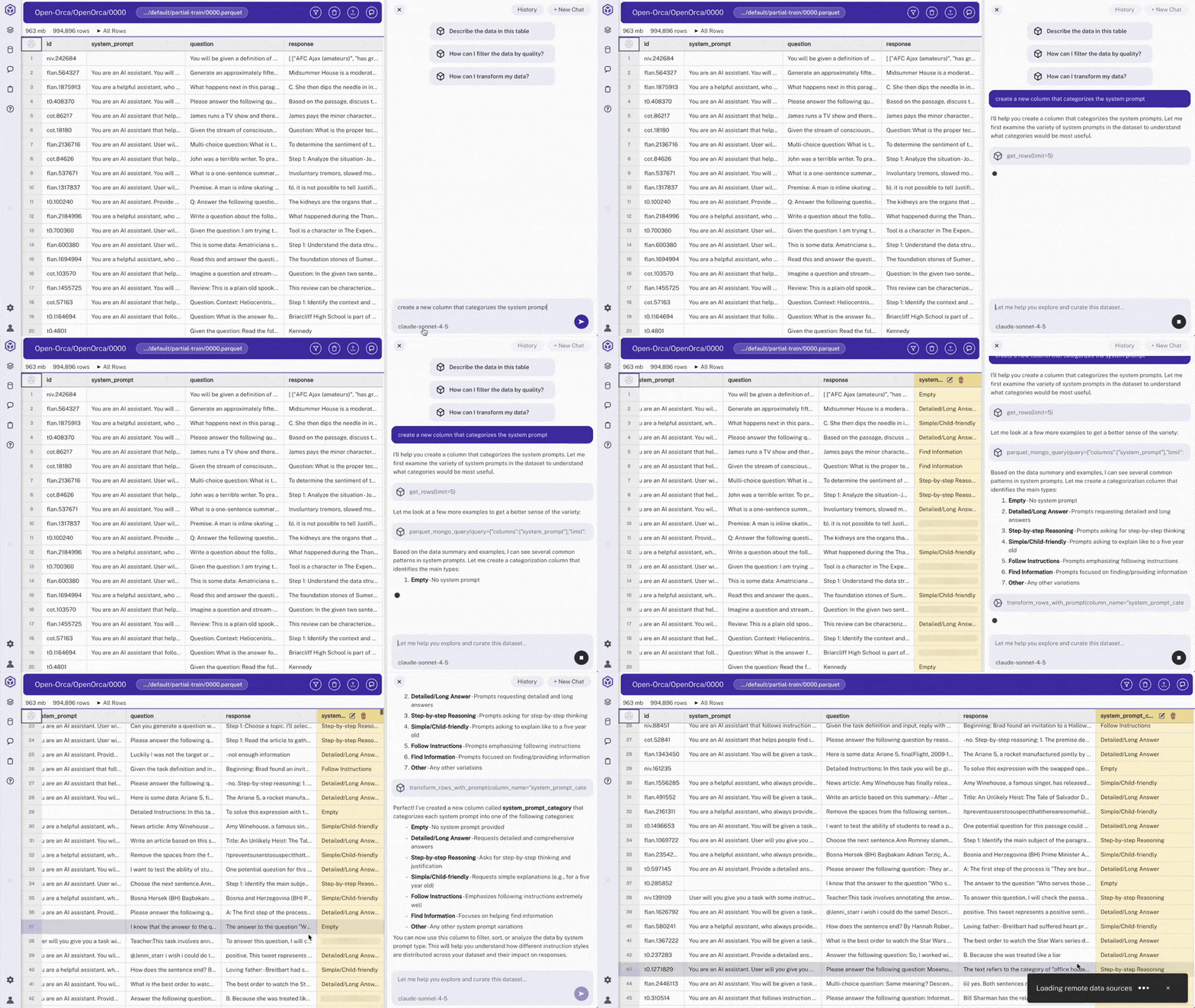
Chat and agent logs often contain free-text system prompts or user messages that are hard to analyze at scale. In this example, we load a large conversation dataset (Orca), use Hyperparam's AI agent to classify each system prompt into a category, and review the distribution of prompt types across the dataset.
Steps
- Load the log dataset
- Examine the system prompts
Review the
system_promptcolumn. These are the instructions each conversation was given, but as free text they're hard to analyze in aggregate. - Classify with AI
In chat, request: "create a new column that categorizes the system prompt"
The agent analyzes each system prompt and generates categories (e.g., "Education/Tutor", "General Assistant", "Information retrieval/QA"). A new
system_prompt_categorycolumn appears. - Review the distribution
Scroll through rows to verify category assignments. Sort or create a view to see which prompt patterns dominate your dataset.
- Export the results
Export the dataset with the new
system_prompt_categorycolumn included. Export processes the full 100k+ dataset.
Expected Results
- Categorical column:
system_prompt_categoryclassifying each system prompt - Pattern visibility: See which prompt types dominate and which are rare
- Actionable metadata: Filter to specific prompt categories, compare behavior across categories, or identify prompt patterns that correlate with failures
Other Use Cases
- Dataset Discovery: Use natural language to find public datasets
- Patient Data Workflow: Extract, filter, and export structured medical data
- Quality Filtering: Score and filter low-quality, sycophantic responses in chat logs
- Deep Research: Multi-step AI workflow for comparing model outputs